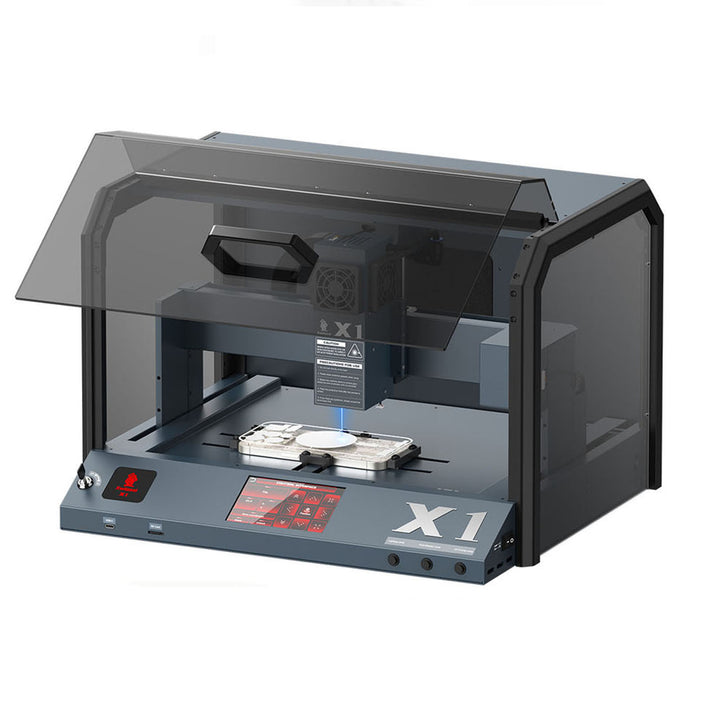
01 / PRODUCT INTRODUCTION
Meet your machine.
One machine, different workflows.
X1 product information describes back-glass glue removal alongside engraving and film-related workflows. These tasks use different materials, setup requirements and resources.
Begin with the job you want to perform. A software demonstration for engraving is not an operating guide for every phone repair task.
02 / USING YOUR MACHINE
How to use it.
Before you begin
- Identify whether your task is back-glass repair, engraving or a supported film workflow.
- Confirm the appropriate software, material, fixture and machine instructions for that task.
- Review the laser protection, extraction and material compatibility requirements in the supplied instructions.
Choose the task. Then choose the resource.
1. Start with the application
Identify the phone model or material and confirm it is supported for your intended task. The machine specifications and compatible configurations are listed on the product page.
2. Find the matching software
Use the X1 software resources provided by Xwitzeal. The existing store library includes a software video and a separate engraving demonstration.
3. Follow task-specific instructions
Review the correct setup and operating guidance for your application. Use the support team to confirm settings when moving between phone repairs, film work and engraving.
Use the instructions for your exact machine, phone model and task for operating settings and safety requirements.
Ask for model-specific instructions ↗THE XWITZEAL LEARNING DESK
Related tutorials for this machine
Setup, everyday operation and care. Find the guidance for your next repair.
Loading available guides…
03 / FIND YOUR FIT
Why choose it?
Choose around your repair work.
Compare this model's supported tasks, controls and configuration with the jobs you handle most often. Check the product specifications and demonstration before deciding.
Plan the complete setup.
Confirm the required accessories, available plug options and support resources with our team so you can choose a configuration for your workshop.
04 / VIDEO GUIDES
Watch it in action.
Continue with the existing X1 software tutorial. For the physical repair process, ask for the operating instructions for your exact phone model and task.
05 / YOUR NEXT STEP
Make room for your next machine.
Xwitzeal 20W X1 Laser iPhone Back Glass Machine 5-IN-1
See current pricing, choose your configuration and review the full product details.
View product & options Need help choosing? Talk to our team ↗