01 / PRODUCT INTRODUCTION
Meet your machine.
Precision starts with the right setup.
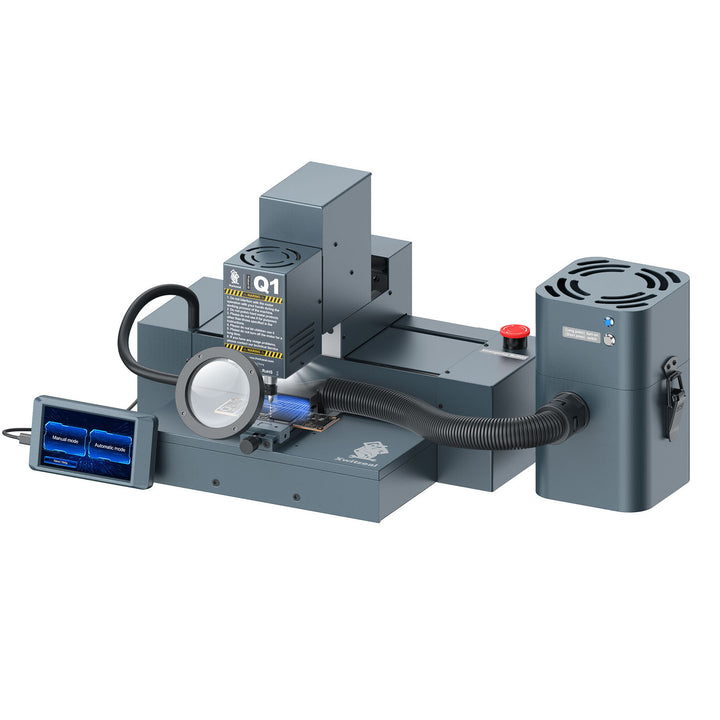
The Q1 is designed for chip surface grinding and precision motherboard work. Its product information describes automatic and manual modes, model-based grinding files and built-in dust extraction.
Start by identifying the exact component and repair task. A CPU, storage chip and touch IC can require different tooling and instructions.
02 / USING YOUR MACHINE
How to use it.
Before you begin
- Identify the chip type and check the corresponding fixture and bit against the Q1 instructions.
- Confirm the correct software and grinding file for the component you intend to work on.
- Review the fixture setup and dust extraction instructions before starting a job.
From component to matching workflow.
1. Match the component and tooling
Begin with the exact chip type. Use its supported fixture and bit rather than treating all motherboard work as the same operation.
2. Understand the operating mode
Q1 offers automatic and manual modes. The automatic workflow uses the matching grinding file selected in the software. Manual work requires the appropriate experience and task-specific instructions.
3. Follow a relevant demonstration
Review the Q1 usage video before operating the machine. For a different chip or phone model, ask technical support for the matching workflow rather than copying parameters from an unrelated repair.
Use the instructions for your exact machine, phone model and task for operating settings and safety requirements.
Ask for model-specific instructions ↗03 / FIND YOUR FIT
Why choose it?
Choose around your repair work.
Compare this model's supported tasks, controls and configuration with the jobs you handle most often. Check the product specifications and demonstration before deciding.
Plan the complete setup.
Confirm the required accessories, available plug options and support resources with our team so you can choose a configuration for your workshop.
04 / VIDEO GUIDES
Watch it in action.
Watch the Q1 chip-grinding demonstration below, or open the tutorial directly on YouTube.
05 / YOUR NEXT STEP
Make room for your next machine.
Xwitzeal 2nd Gen Q1 Automatic IC&CPU Chip Grinding Machine
See current pricing, choose your configuration and review the full product details.
View product & options Need help choosing? Talk to our team ↗