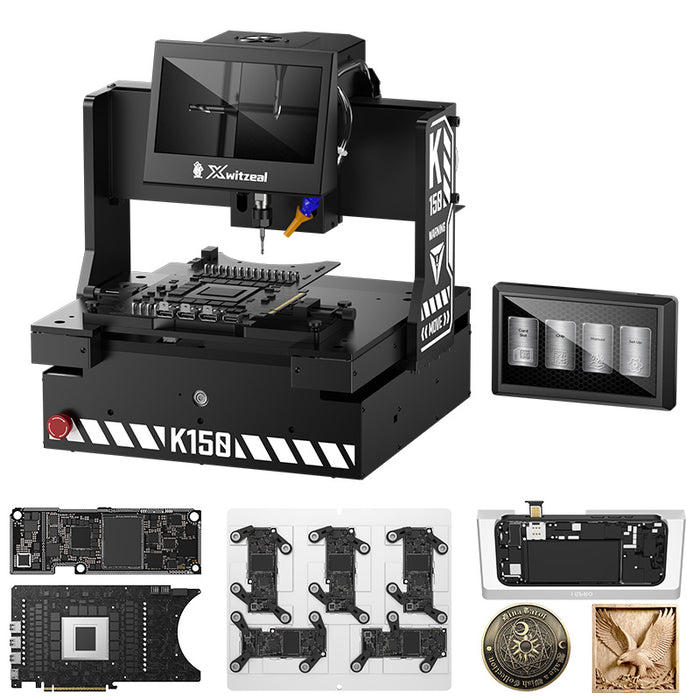
A model-specific K150 CNC guide using a 1.5 mm frame cutter. The supplied iPhone 14 Pro Max SIM slot workflow does not require internal machining.
Use the iPhone 14 Pro Max demonstration when preparing this job. Its frame cutter is 1.5 mm, and the supplied workflow does not call for inside machining. Matching the Pro Max model matters even when another model uses the same cutter diameter.
This guide is for repair technicians preparing SIM slot machining as part of a physical SIM modification job. It documents the K150 machining task; the remaining components and modification steps must be checked separately for the device being worked on.
iPhone 14 Pro Max SIM Slot Cutting Tools and Cutter Sizes
| Item | Required setup |
|---|---|
| Machine | Xwitzeal K150 |
| Phone model | iPhone 14 Pro Max |
| Frame cutter | 1.5 mm |
| Inside machining | Not required for this workflow |
| Fixture | Use the matching model setup shown in the demonstration; confirm the exact fixture with Xwitzeal if needed. |
iPhone 14 Pro Max SIM Card Slot Cutting Video
Watch this iPhone 14 Pro Max tutorial on YouTube.
Before Machining: Model, Cutter and Fixture Checks
- Confirm the complete model name. Match iPhone 14 Pro Max to the job selection and fixture shown in its own tutorial.
- Prepare the listed tooling. Prepare the 1.5 mm frame cutter. The supplied workflow does not call for a separate inside cutter.
- Review positioning and machining before starting. Follow the model-specific demonstration and machine instructions. Cutter diameter alone does not establish spindle speed, feed rate or cutting depth.
- Check the result before continuing the modification. Review the machined area and intended SIM tray fit. If the housing or setup differs from the demonstration, ask the technical team to confirm the next step.
iPhone 14 Pro Max SIM Slot Machining FAQ
Does iPhone 14 Pro Max need inside machining?
No inside machining is listed for the iPhone 14 Pro Max workflow shown here. This statement applies to the supplied setup, not to every possible housing or conversion method.
Can I use another model's settings?
Use the guide for the exact model. For comparison, iPhone 14 Pro has its own K150 tooling guide. Shared cutter sizes do not establish identical positioning or machining settings.
Does SIM slot cutting complete an eSIM-to-physical-SIM conversion?
This tutorial covers the mechanical machining task. It does not establish the full electronic conversion process, network compatibility or carrier-unlock status.
Explore the K150 SIM Slot Cutting Machine
Browse the K150 model selector and all demonstrations, or view the K150 machine and purchase options.
Need help matching the cutter or fixture? Ask Xwitzeal technical support about iPhone 14 Pro Max.